How to setting the workspace for coding?
The main thing to have;
- Computer with OS: Windows x64
- Visual Studio Code - https://code.visualstudio.com/download
- Database MySQL - https://dev.mysql.com/downloads/workbench/
- PHP language - https://www.php.net/downloads
Using the OS, Windows then install the Visual Studio Code to run the code for tool.
After install; install the Database as above MySQL at your computer. Then, follow as below.
Step 1: Open VS Code. Install below extension


😁 HAPPY CODING! 😁
Then setup PHP language follow the step at this link. https://www.geeksforgeeks.org/how-to-install-php-in-windows-10/
Step 16: Click on the OK button.
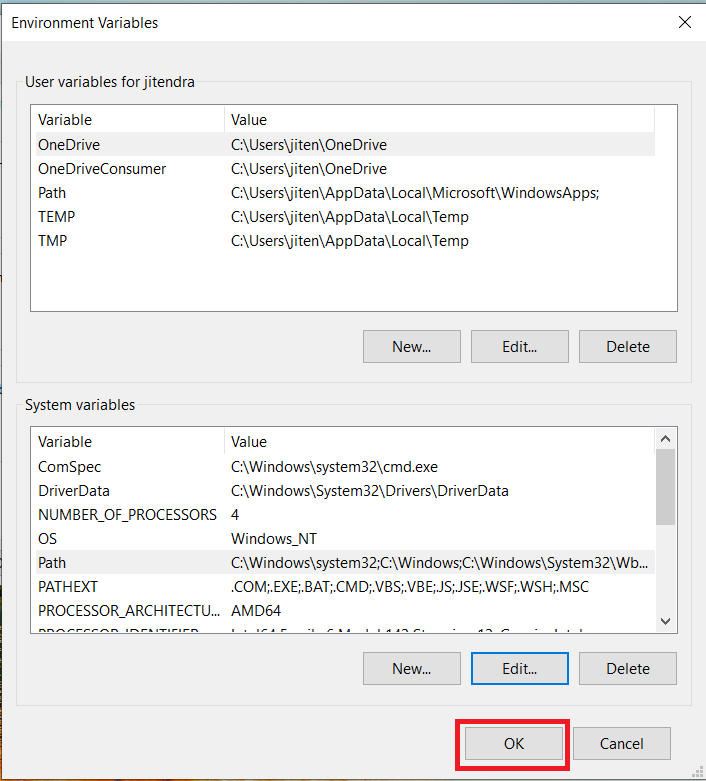
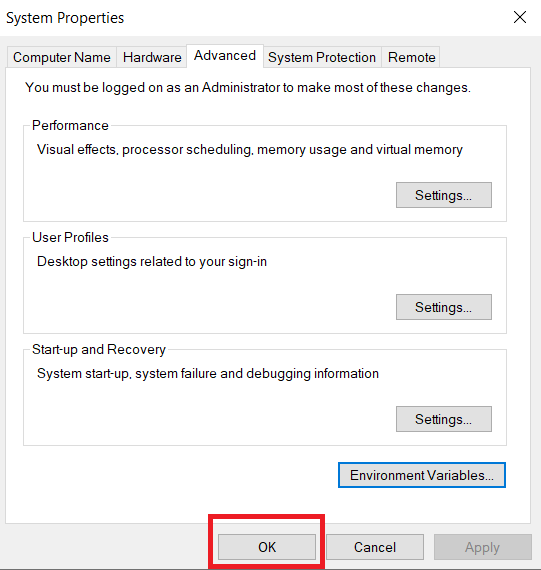
Step 17: Click on OK for saving changes.
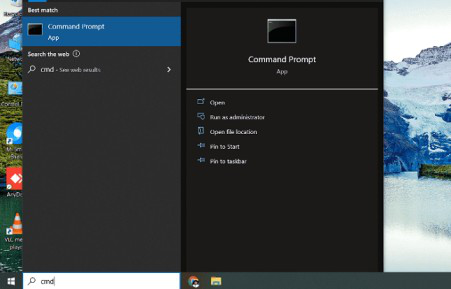
Step 18: Now your PHP is installed on your computer. You may check by going to the “Start” menu typing Command Prompt. Open it.
Step 19: When the Command Prompt opens, type php -v
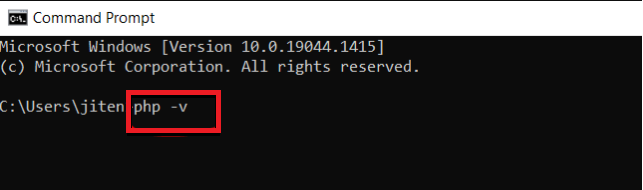
Step 20: Now enter the command prompt to show the version of PHP installed on your computer.
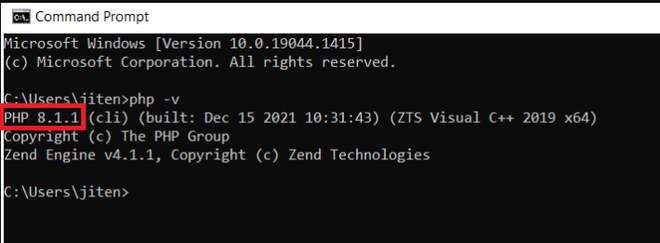
You have successfully installed PHP on your Windows 10 system.
Comments
Post a Comment